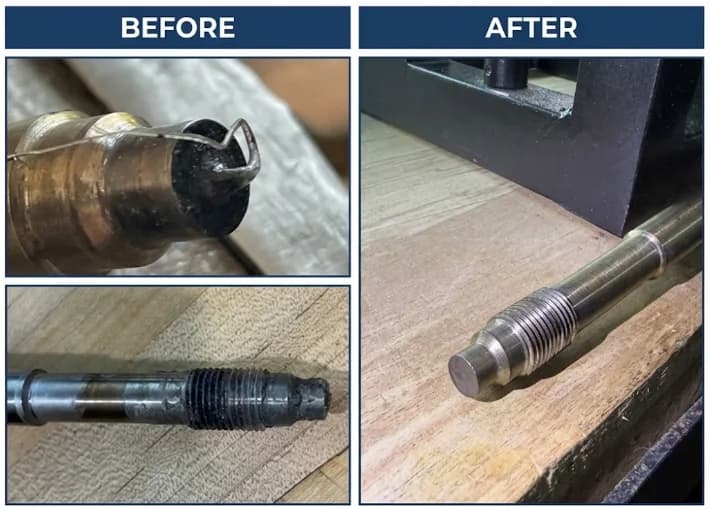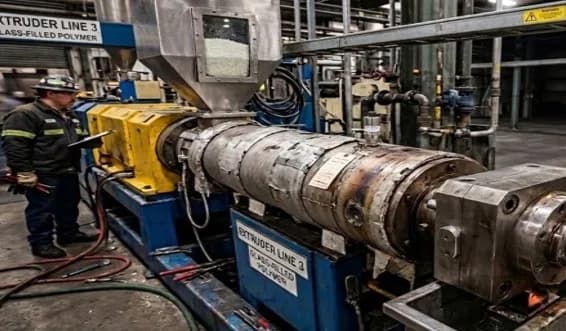

Quick Guide: Melt Pressure Transducer Calibration
Audience: Maintenance Leadership
Goal: Get the extruder back up fast with accurate pressure readings
Time Required: ~5 minutes (if no issues)
BEFORE YOU START – Quick Checks
-
Is the transducer installed and wired properly? - Mounting torque correct (usually 100–200 in-lbs)? - Connector tight? - Wiring verified? (No shorts/opens)
-
Is the extruder barrel at operating temperature? - Cold barrel = bad readings - Never calibrate a cold transducer
CALIBRATION PROCESS
STEP 1: ZERO CALIBRATION (No Pressure in the System)
You MUST do this before material flow starts.
-
Power up system – wait 2–3 minutes for sensor to stabilize.
-
Ensure there is no pressure in the barrel (vent open, no backpressure).
-
Zero the transducer: - On the amplifier, PLC, or HMI: hit “ZERO” or “TARE”. - If using a digital readout, it should now display 0 psi / 0 bar.
✅ If zero won’t hold, check wiring or sensor damage.
STEP 2: SPAN (OPTIONAL – ONLY IF REQUIRED)
Usually factory-set. Skip unless you’ve replaced the transducer or readings seem off.
-
Use a simulator or pressure calibrator (if available).
-
Apply known pressure (e.g., 1000 psi).
-
Adjust span on the display/controller to match applied value.
✅ If span is off and can’t be adjusted, sensor may be faulty.
STEP 3: VERIFY UNDER LOAD
-
Start material flow.
-
Monitor pressure readings under typical extrusion load.
-
Compare with expected range – if it looks wrong: - Double-check zero - Compare to backup gauge (if installed)
TROUBLESHOOTING – FAST FIXES
| Symptom | Possible Cause | Quick Fix |
|---|---|---|
| Stuck at max or min value | Broken sensor or wiring issue | Swap with known good sensor |
| Won’t zero | Pressure still in system / damage | Vent barrel / replace sensor |
| Fluctuating signal | Ground loop / EMI / loose wires | Check shield, reroute cables |
| Reads zero under pressure | Span off or wrong range sensor | Check calibration / specs |
TIPS TO KEEP MOVING
-
Keep a spare transducer on hand.
-
Use quick-disconnect cabling if possible.
-
Don’t calibrate until system is at temp and pressure-free.
-
Document calibration date & operator for traceability.
Always consult your process management team for FORMAL process steps / these tips are for consideration and to start the conversation!
Make the next step a confident one.
Share your part number or process requirements. We’ll help you work through the fit.
Talk to an expert